
Science & Technology
-

Android users can enable accessibility shortcuts.
The “Accessibility Shortcuts” feature on Android devices simplifies navigation (e.g., Facebook) by granting easy access to screen readers and tools through simple actions. Customizing these shortcuts improves device usability based on personal preference or necessity, offering optimized interaction. This tutorial guides configuring these settings for quick access. Access the Settings app on your Android home…
-
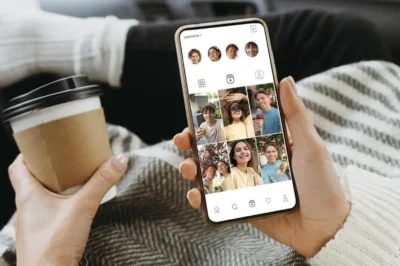
Improve Instagram photos with these steps.
Improve photo quality on Instagram by optimizing images before and after capture with camera settings adjustments and AI enhancements for Android users. Use these essential tips to enhance how your content is perceived on the platform. Before you begin, ensure optimal camera settings on your Android device for better results. Access the settings via the…
-

Study finds superbug bacteria survive despite rigorous hospital drain cleaning.
A recent study revealed that even after thorough cleaning, hospital sink drains can harbor dangerous bacteria linked to an increase in health-care-associated infections (HAIs). These infections, which disproportionately affect immunocompromised patients and stem from inadequate hygiene practices in some hospitals, are a significant global issue consuming around 6% of hospital budgets. Additionally, the widespread use…
-

Learn more about Truecaller’s ‘Pay Bills’ feature.
Learn to pay bills easily with Truecaller by setting up the “Pay Bills” feature on your Android phone. Simply link your bank account to Truecaller via UPI and follow the steps to pay bills like electricity and gas efficiently. To pay bills using Truecaller, link your bank account by downloading the app, going to Payments,…
-
Managing a food allergy? Use Swiggy’s food filtering feature.
Ordering food through apps can be tricky for those with allergies or dietary needs. Luckily, Swiggy offers a filtering feature for allergens, making it easier to locate safe dishes. See our guide for using Swiggy’s “Filter by Food Allergens” on Android. Ensure your Swiggy app is updated before exploring allergen filters. Check the Google Play…
-

Amazon Prime Video users can enhance their viewing experience.
Optimize your Android device for the best Amazon Prime Video experience by adjusting settings to create a personalized cinema. This guide helps set video quality, tweak display settings, use fullscreen mode, and set up profiles and parental controls for a customized experience. To adjust video quality on Amazon Prime Video, go to the app, tap…
-

Here’s how to format WhatsApp messages.
WhatsApp for Android allows formatting messages with markdown characters and the contextual menu. This feature enables you to emphasize words in bold, use italics for emphasis, or strike through text for corrections. Master these techniques to elevate your message formatting skills effectively. To format text in WhatsApp with markdown characters, wrap text in specific symbols.…
-

Struggling with recurring payments? No worries, we have you covered!
Managing recurring payments like EMIs or rent can be challenging, especially with multiple financial obligations. Luckily, the Paytm app for Android offers an easy way to set payment reminders. With a few simple steps, users can avoid missing deadlines, prevent late fees, and maintain financial well-being. To set a payment reminder in Paytm, open the…
-

Explore the treasure of ‘Flipkart Stories’ easily.
Discover Flipkart Stories, an innovative feature in the app providing insights into trending products, user experiences, and comprehensive reviews. This guide helps you navigate and engage with Stories on your Android device, enhancing your shopping experience by staying informed about products of interest. To find Flipkart Stories, open your Flipkart app and navigate to the…
-

Everyone loves cashback, here are some Paytm user hacks.
In today’s digital era, saving money anywhere is simplified by apps such as Paytm, which offer various cashback opportunities for Android users seeking savings strategies. Mastering Paytm’s cashback deals is crucial for maximizing benefits. Navigate to the Cashback and Offers section in your Paytm app. Explore categories like Recharge, Bill Payments, and Online Shopping Offers.…

Recent Posts
- Sarfaraz Khan: A Story of Resilience, Determination and the Pursuit of Recognition

- Assam State Pickleball Trials 2026: A New Beginning on the National Sporting Stage

- Iran’s Strategic Response to US-Israeli Military Strikes: Escalation, Deterrence and Global Implications

- “Transforming India’s Textile and Apparel Sector: Harnessing Circular Economy for Environmental Protection and Economic Growth”

- Attack on Tanker Carrying 27 Indian Seafarers Raises Maritime Security Concerns in Strait of Hormuz

Categories
- Art & Culture 128
- Assam 162
- Business 219
- Crime 25
- Entertainment 119
- Fashion 13
- Health 53
- International 153
- Lifestyle 93
- Marketing 113
- National 198
- Politics 145
- Science & Technology 153
- Sports 146